MAKE IT EASY.
SUBSCRIBE & SAVE
UP TO 10% OFF
FREE SHIPPING | CHANGE ANYTIME
HOW OUR SUBSCRIPTION PROGRAM WORKS

PICK YOUR FAVORITE VITER ENERGY PRODUCT
Choose from all our auto-refill products below.

SET YOUR DELIVERY FREQUENCY
Anywhere from once every 1 month to 2 months. You’re in control.

WE'LL EMAIL YOU BEFORE EACH SHIPMENT
Review, revise, and skip orders with ease.

ADJUST AS NEEDED
Change your quantities. Change your items. Cancel anytime.
BEST SELLERS. BIGGEST SAVINGS.
ALL THE BENEFITS.
Built-in Savings. Free Shipping. No Hassles.

SAVE 5%-10% ON EVERY ORDER
Not just the first order.

CONTROL YOUR SCHEDULE
Pick what works for you.

FREE SHIPPING
The shipping is on us - for every subscription order in USA.

NO HASSLES
Change, pause or cancel any time.
THOUSANDS OF VERIFIED HAPPY REVIEWS
YOU HAVE QUESTIONS? WE HAVE ANSWERS.
-
How do I change my delivery date?
![]()
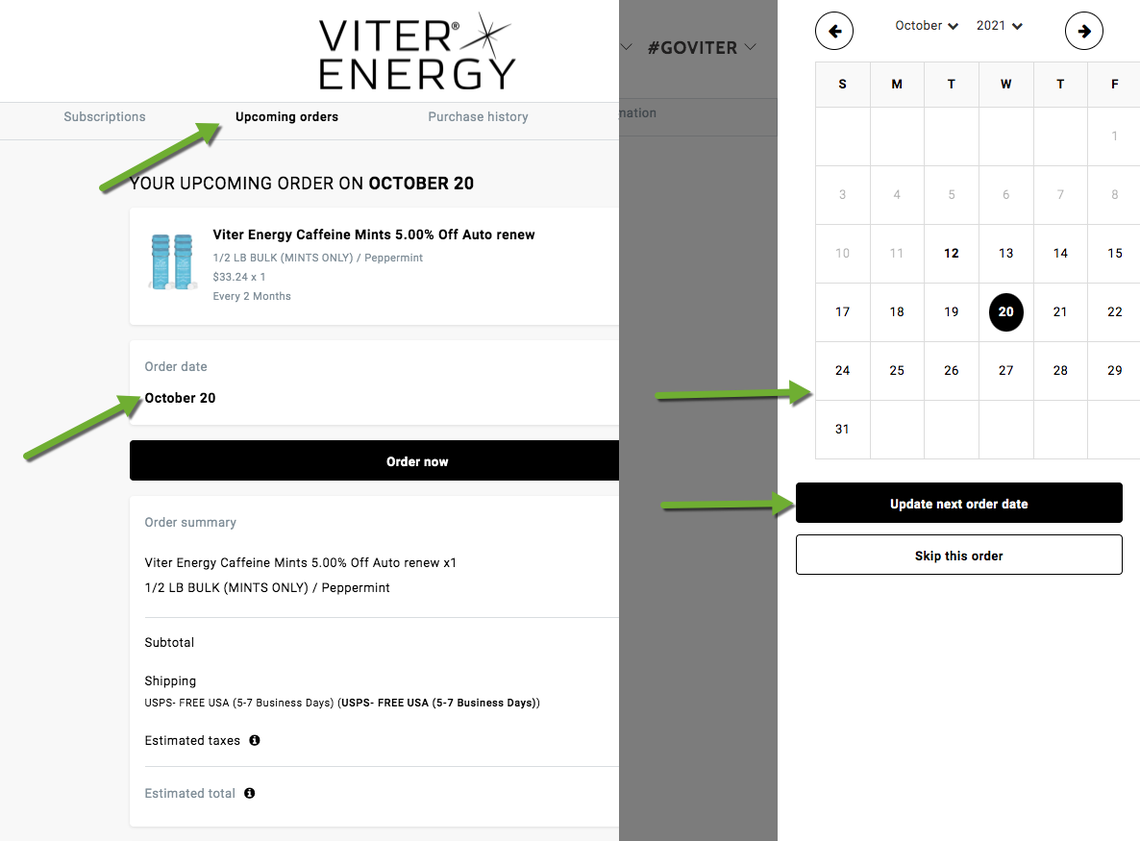
First login to your goviter.com account and navigate to 'Upcoming Orders'. Click on your Order Date and the calendar will pop up. Select your new date for your next delivery and click the 'Update next order date' button.
-
Can I subscribe to multiple items?
Yes! When subscribed to multiple items each will show up as a uniquely manageable item within your subscription dashboard. You can add more products to your subscription in your dashboard, and by navigating to a product page, selecting Subscribe and Save, and completing your order.
-
How do I skip a shipment?
![]()
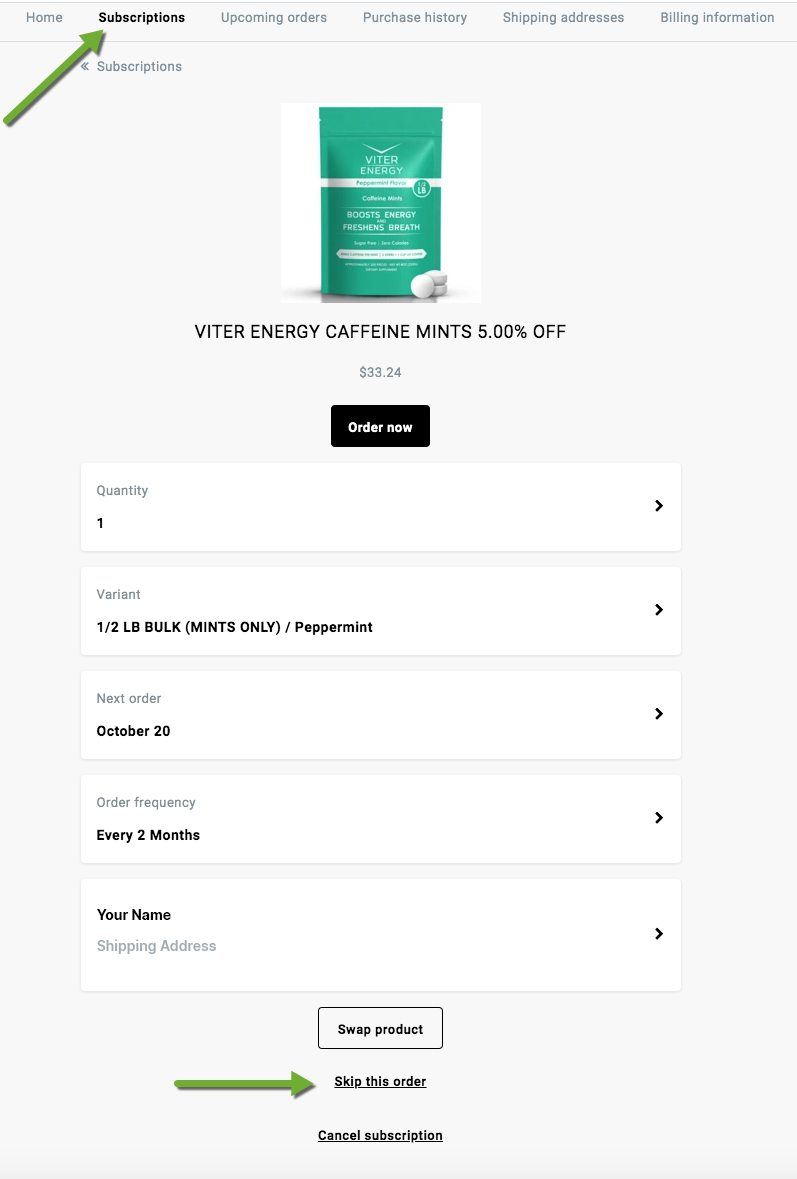
First login to your goviter.com account and navigate to 'Subscriptions.' To skip a shipment entirely, click on the 'Skip This Order' button at the bottom of page detail.
-
How do I update my subscription payment method?
![]()
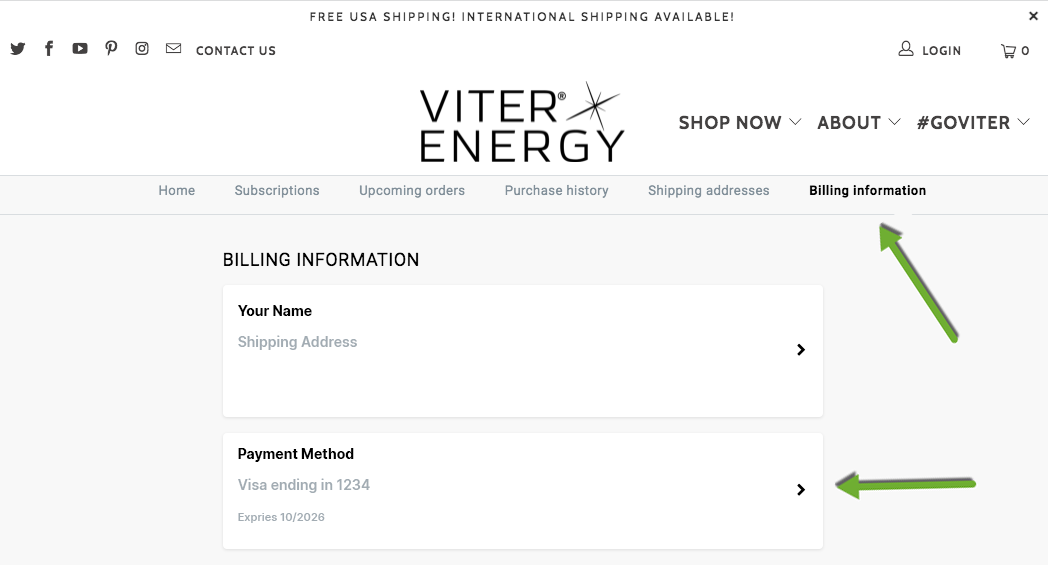
First login to your goviter.com account and navigate to 'Billing.' Click on the Payment Method area. Enter your new payment details and click the 'Update Payment' button.
-
How do I cancel?
![]()
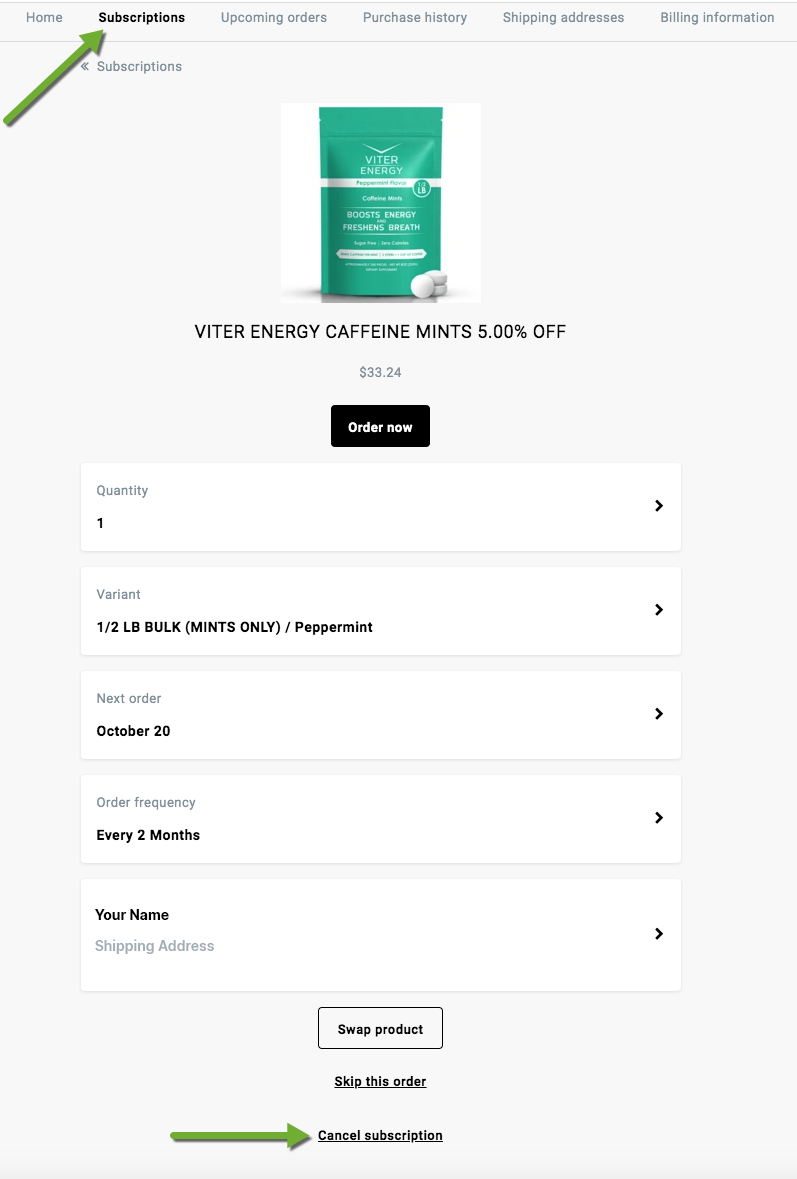
First login to your goviter.com account and navigate to 'Subscriptions.' Click the 'Cancel Subscription' link at the bottom of the page details. Select one of the menu options on the next screen and then click 'Cancel Subscription' once more to complete the cancellation.
-
How do I change which product I get?
![]()
First login to your goviter.com account and navigate to 'Subscriptions.' To swap which product you get for your next shipment, click on the 'Swap Product' button at the bottom of page detail.